Receive Online Form Messages Directly on WhatsApp
 Reinhard Söllradl
Founder of Form.taxi and web developer since 2000.
Last updated on
January 18, 2026
4:30 min. reading time
Receiving form submissions via WhatsApp opens up a direct and particularly fast communication channel between website and operator. Instead of receiving new inquiries exclusively by email, form submissions are delivered directly to the smartphone as WhatsApp messages. This makes important messages immediately visible and allows them to be read and answered promptly, regardless of the workplace or email inbox. Especially for websites with high user engagement, service requests, or time-sensitive forms, WhatsApp offers a clear advantage in terms of response speed and reliability.
Why receive form submissions via WhatsApp?
Contact forms are a key communication channel for many websites. Traditionally, form submissions are sent via email – a proven, but not always optimal, method. Emails are often overlooked, end up in the spam folder, or are only read after a delay.
Receiving form submissions via WhatsApp solves precisely this problem. WhatsApp is installed on almost every smartphone and is generally used in real time. New form submissions are immediately displayed as push notifications and are therefore instantly available – regardless of whether an email inbox is currently open or not.
This is a crucial advantage, especially for freelancers, small teams, or support-related use cases. Customer inquiries, reservations, or important feedback can be answered more quickly. This not only increases efficiency but also the perceived professionalism and service quality of the website.
WhatsApp Integration in Form.taxi
With the integration of WhatsApp, Form.taxi expands its existing notification system by adding an additional, optional delivery channel. Technically, the principle remains unchanged and simple: Form.taxi continues to function as a backend service for online forms, securely receiving form submissions and then forwarding them.
In addition to traditional email delivery, WhatsApp can now be defined as a recipient. Each form submission is delivered as a structured WhatsApp message. The content displays the form entries in a clear and concise format, allowing the message to be quickly understood even on a smartphone.
The integration is intentionally streamlined. No separate WhatsApp Business API setup is required, and no additional external services need to be configured. All management is handled directly through Form.taxi. This makes the feature suitable for both less technically savvy users and professional users who want to easily extend existing processes.
Connecting Forms to WhatsApp via Form.taxi
Setting up the WhatsApp integration is done in just a few steps. If you are not yet a Form.taxi user, start by registering.
The following requirements are necessary for setup:
- A Form.taxi account. WhatsApp integration is available starting with the Standard plan.
- An active form connection in Form.taxi to your online form. » Documentation
- A WhatsApp account for the desired recipient number.
Activating WhatsApp Delivery
In the settings for your form connection, activate the WhatsApp delivery feature. In the delivery settings, enter the desired mobile phone number for receiving form submissions. A WhatsApp message with an activation link will then be sent to this number.
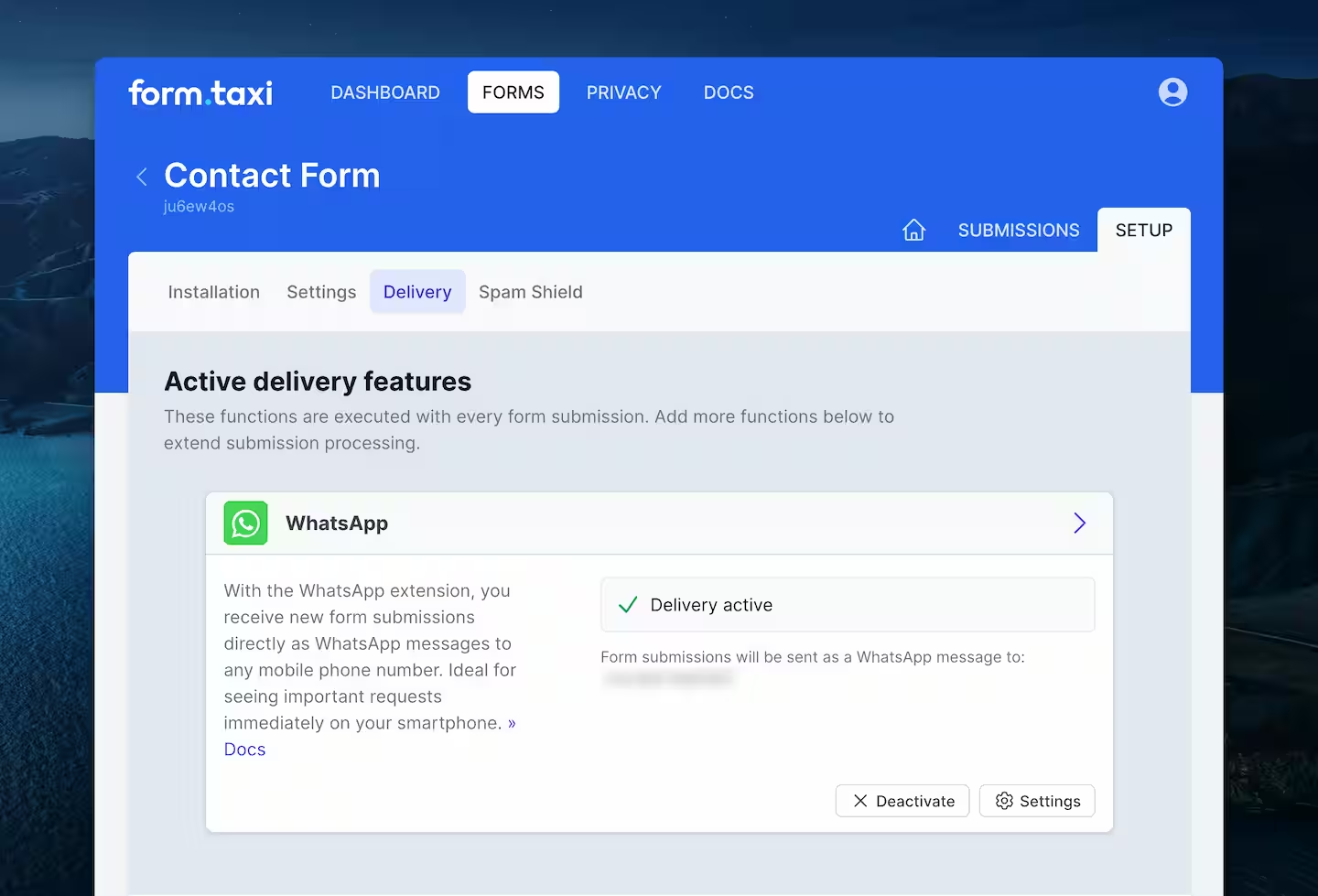
You can find detailed setup instructions in our documentation.
Receiving Forms in WhatsApp
After configuration in Form.taxi and confirmation by the recipient, delivery is active. From this point on, new form submissions are received directly in the corresponding WhatsApp chat.
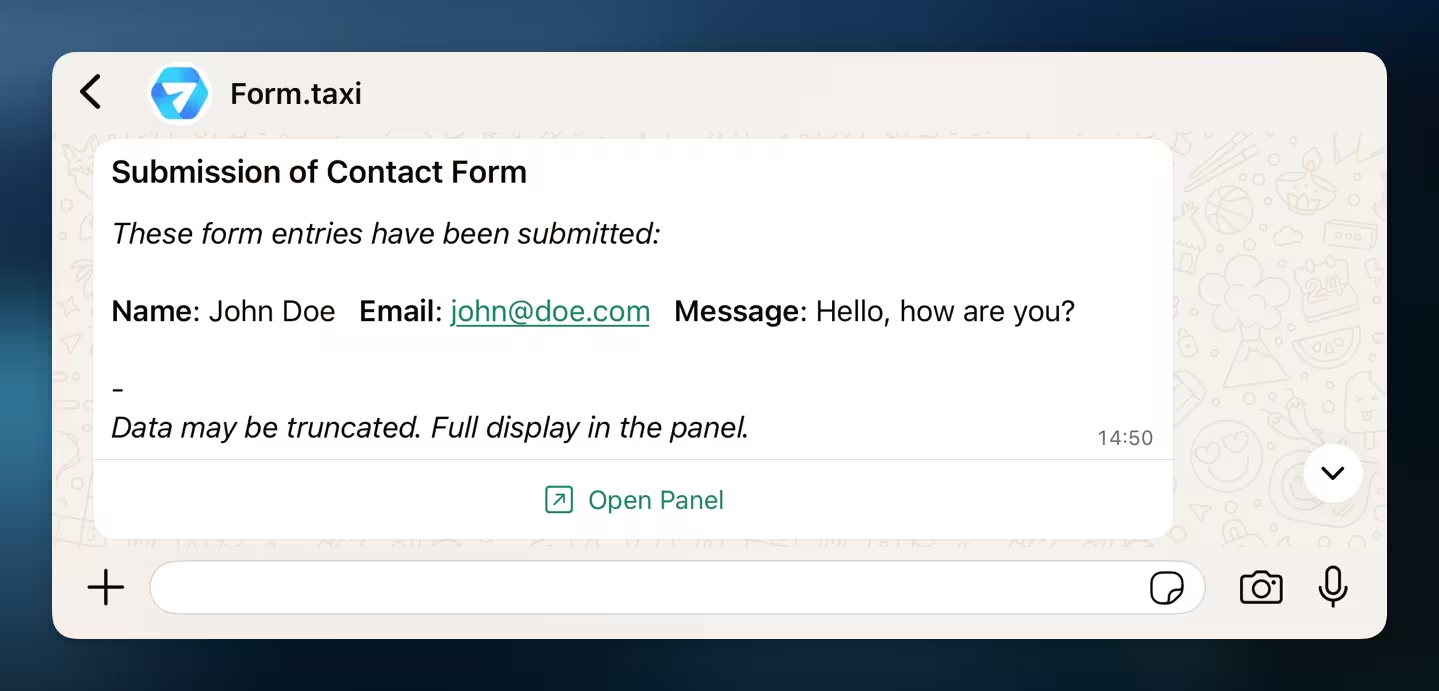
Each WhatsApp message informs you of the receipt of a new form submission and displays the submitted form data in a condensed format. Due to technical limitations of WhatsApp, all entries are displayed in a single, continuous text block and may be truncated. The form submission can be opened online via the panel link included in the message, where all submitted data is displayed completely and clearly.
Feedback or questions?
Please send us your message. We will personally address your concerns.